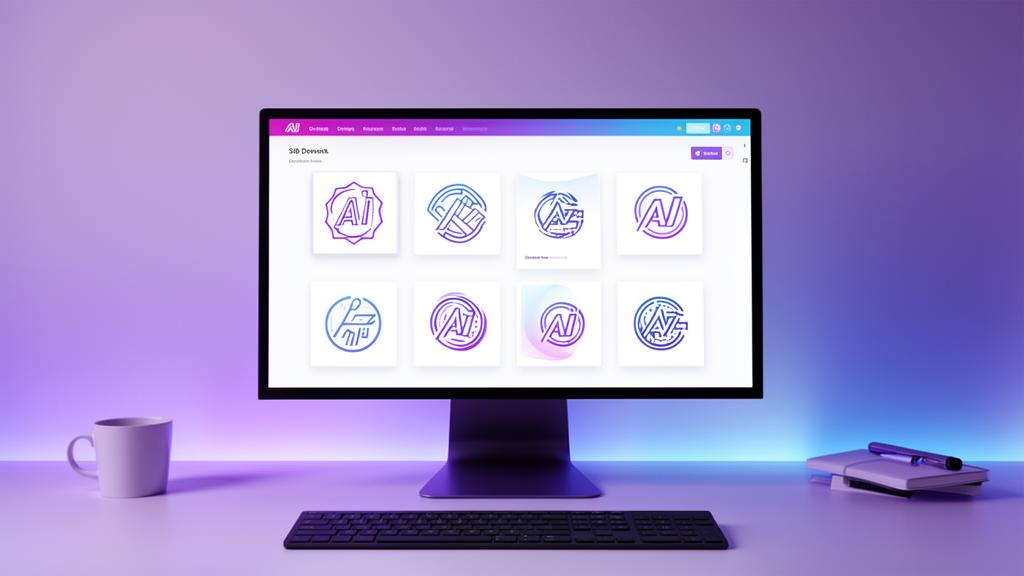
The logo design industry has been fundamentally transformed by artificial intelligence. What once required weeks of back-and-forth with a designer and thousands of dollars can now be accomplished in minutes—often with surprisingly professional results.
But not all AI logo makers are created equal, and knowing how to use them effectively makes the difference between a generic icon and a logo that genuinely represents your brand.
This comprehensive guide covers everything you need to know about AI-powered logo creation in 2025.
How AI Logo Makers Actually Work
Understanding the technology behind AI logo design helps you use these tools more effectively and set realistic expectations.
The Technology Stack
Modern AI logo generators use a combination of technologies:
- Generative AI models trained on millions of professional logo designs, learning principles of composition, color harmony, and visual balance
- Natural language processing (NLP) to interpret your business description and translate abstract concepts into visual elements
- Style transfer algorithms that apply learned design aesthetics to new creations
- Domain-specific training that understands industry conventions (tech logos look different from restaurant logos)
According to MIT Technology Review, generative AI for design has reached a point where outputs are often indistinguishable from human-created work for standard business applications.
What AI Does Well
AI logo makers excel at:
- Speed: Generating dozens of concepts in seconds
- Variation: Producing multiple styles from a single prompt
- Technical precision: Perfect alignment, consistent spacing, clean vectors
- Color harmony: Applying proven color theory automatically
- Industry awareness: Understanding visual conventions for your sector
Where AI Has Limitations
Be realistic about what AI can't do:
- Deep cultural nuance: Complex cultural references or symbolism
- Emotional storytelling: Logos that tell a specific brand narrative
- Hand-crafted artistry: Organic, hand-drawn, or calligraphic styles
- Radical originality: Truly avant-garde or category-breaking concepts
For most businesses—especially startups and SMBs—AI handles logo creation more than adequately. For luxury brands or design-centric companies, you may want human involvement. We explore this tradeoff in depth in AI vs Human Logo Design: When to Use Each.
How to Create a Great Logo With AI (Step-by-Step)
The quality of your AI-generated logo depends heavily on your input. Here's the proven process:
Step 1: Define Your Brand Positioning
Before touching any tool, answer these questions:
- What does your business do? Be specific. "SaaS productivity tool for remote teams" beats "tech company."
- Who is your target audience? Enterprise buyers expect different aesthetics than Gen Z consumers.
- What's your brand personality? Professional? Playful? Bold? Minimal?
- What are your competitors' logos? Know the landscape so you can differentiate.
This positioning work directly improves AI output quality. The more specific your input, the more relevant the results.
Step 2: Choose the Right AI Tool
Not all AI logo makers deliver the same quality. Key criteria:
| Feature | Why It Matters |
|---|---|
| Multiple style options | Different logo types (wordmark, icon, combo) for different use cases |
| High-resolution export | You need SVG and large PNG for print and digital |
| Color palette generation | Cohesive brand colors, not just a logo |
| Brand guidelines | Professional documentation for consistent usage |
| Domain checking | Ensures your brand name is available online |
BrandScoop offers all of these in a single workflow—AI-generated names, logos in multiple styles, complete color palettes, and brand guidelines, all from a single business description.
Step 3: Write an Effective Prompt
Your business description is the most important input. Follow this structure:
Template: "[Business type] that [core value proposition] for [target audience]. The brand should feel [personality traits]."
Examples:
- "A project management SaaS that simplifies workflows for creative agencies. The brand should feel modern, clean, and trustworthy."
- "An organic skincare line that uses science-backed formulations for health-conscious millennials. The brand should feel natural, premium, and approachable."
- "A fintech app that makes investing accessible for first-time investors. The brand should feel friendly, simple, and empowering."
Step 4: Evaluate and Select
When reviewing AI-generated logos, assess against these criteria:
- Scalability: Does it look good at 16x16 pixels (favicon) AND on a billboard?
- Versatility: Does it work in color, black & white, and on dark/light backgrounds?
- Simplicity: Can you describe it in one sentence?
- Relevance: Does it match your industry without being cliché?
- Memorability: Could you draw it from memory after seeing it once?
For a deeper dive into these evaluation criteria, read 7 Logo Design Principles Every Non-Designer Should Know.
Step 5: Refine Your Selection
Most AI tools generate multiple variations. Use this to your advantage:
- Select 2-3 favorites from the initial batch
- Test them at different sizes (browser tab, social media avatar, header)
- Show them to 3-5 people in your target market
- Check they don't resemble competitor logos too closely
Types of Logos: Which Is Right for Your Business?
Understanding logo types helps you make better selections.
Wordmarks (Logotypes)
Text-only logos where the company name IS the logo.
Examples: Google, Coca-Cola, FedEx, Stripe
Best for:
- Companies with short, distinctive names
- Businesses wanting maximum name recognition
- B2B companies prioritizing professionalism
Lettermarks (Monograms)
Logos built from initials or abbreviations.
Examples: IBM, HBO, CNN, HP
Best for:
- Companies with long names
- Brands wanting a compact, icon-like mark
- Businesses that will use the abbreviation consistently
Icon/Symbol Logos
A standalone graphic symbol representing the brand.
Examples: Apple, Nike, Twitter, Target
Best for:
- Well-established brands (recognition takes time)
- Companies planning global expansion (symbols transcend language)
- Brands wanting strong visual identity
Combination Marks
Text plus icon used together.
Examples: Adidas, Burger King, Doritos, Lacoste
Best for:
- New businesses (text provides clarity, icon builds recognition)
- Companies wanting flexible branding (can separate text and icon)
- Most startups—this is the safest, most versatile choice
Emblem Logos
Text enclosed within a symbol or badge.
Examples: Starbucks, Harvard, NFL, Harley-Davidson
Best for:
- Heritage brands emphasizing tradition
- Organizations wanting authority and prestige
- Food and beverage brands
AI Logo Makers Compared: 2025 Landscape
Here's how the major AI logo tools compare:
| Tool | Logo Quality | Brand Package | Price Range | Best For |
|---|---|---|---|---|
| BrandScoop | Professional, multiple styles | Complete (name, logo, colors, guidelines) | $15-29 | Founders wanting end-to-end branding |
| Looka | Good, template-based | Logo + basic assets | $20-65 | Simple logo needs |
| Brandmark | Decent, AI-generated | Logo + color palette | $25-175 | Designers wanting starting points |
| Hatchful (Shopify) | Basic | Logo only | Free | Hobbyist projects |
| Canva Logo Maker | Template-heavy | Logo + templates | Free-$13/mo | Social media focused |
Why BrandScoop Stands Out
Unlike pure logo generators, BrandScoop approaches logo creation as part of a complete brand identity:
- AI-generated business names with domain availability checking
- Multiple logo variations in wordmark, icon, and combination styles
- Cohesive color palette with primary, secondary, and accent colors
- Brand guidelines PDF ready for your team and contractors
- High-resolution exports in SVG and PNG formats
This means you walk away with a complete, launch-ready brand—not just a logo file.
Common AI Logo Mistakes (And How to Avoid Them)
Mistake 1: Vague Prompts
Bad: "Make me a cool logo"
Good: "A fintech startup that democratizes investing for college students. Modern, trustworthy, tech-forward."
The more context you provide, the better the AI understands your needs.
Mistake 2: Choosing Complexity
Simple logos are more memorable, more versatile, and more timeless. If your AI-generated logo has too many elements, choose a simpler variation.
As Paul Rand, who designed the IBM and ABC logos, said: *"Design is so simple, that's why it is so complicated."*
Mistake 3: Ignoring Scalability
Your logo will appear everywhere from a 16px favicon to a conference banner. Test it at multiple sizes before committing.
Mistake 4: Trend-Chasing
AI models learn from current trends, which means they can produce trendy results that will age poorly. Evaluate whether your selection will look good in 5 years, not just today. For current awareness without over-indexing, see our Logo Trends 2025 guide.
Mistake 5: Skipping the Brand System
A logo alone isn't a brand. You need consistent colors, typography, and usage guidelines. Tools like BrandScoop generate the entire brand system automatically, preventing the common trap of having a logo but no cohesive visual identity.
Making Your AI Logo Work: Post-Generation Checklist
Once you've selected your AI-generated logo, run through this checklist:
- ✅ Test at small sizes (favicon, app icon)
- ✅ Test on dark and light backgrounds
- ✅ Test in grayscale/black & white
- ✅ Verify it's distinct from competitor logos
- ✅ Get feedback from 3-5 target customers
- ✅ Confirm you have high-resolution files (SVG preferred)
- ✅ Create or download brand guidelines
- ✅ Apply consistently across website, social, and marketing
The ROI of AI Logo Design
Traditional branding costs can be prohibitive for startups:
- Branding agency: $5,000-$50,000+ (4-12 weeks)
- Freelance designer: $500-$5,000 (1-4 weeks)
- AI logo maker: $15-$65 (minutes)
For a startup testing product-market fit, the math is clear. As we discuss in Why Execution Beats Perfect Branding, the money and time saved on branding can be redirected to product development, customer acquisition, and the things that actually determine startup success.
When to Upgrade from AI
AI logos serve most businesses perfectly for years. But consider upgrading to a human designer when:
- You've achieved significant scale and brand awareness
- You're entering luxury or high-fashion markets
- You need complex illustration or hand-lettered work
- Your brand has evolved beyond your original concept
- You're rebranding after a pivot or acquisition
Even then, your AI-generated brand serves as an excellent brief for a human designer—showing what worked and what direction to evolve toward.
Get Started: Create Your Logo Now
Ready to create a professional logo for your business?
- Open BrandScoop's AI brand generator →
- Describe your business idea in 1-2 sentences
- Select from AI-generated name and logo options
- Download your complete brand package
In 5 minutes, you'll have a professional logo, color palette, and brand guidelines—everything you need to launch with confidence.